Google Workspace Ki? Shob Kichu Janun Ek Jaygay
Apni ki kabhi vabchen — ekti business ba organization-ke smoothly chalate hole kon tool gulo sob theke beshi dorkar? Email management theke shuru kore team collaboration, file sharing, video meeting — shob kichu ek chhatay manage korte parle kemon hoy? Thik ei kaajta-i kore Google Workspace.
Kintu Google Workspace ki, keno darkar, ar kotokhani kaje ashbe aapnar business-e? Shei shob proshno-r uttor niye aaj-er ei poripurno guide.

Google Workspace Ki?
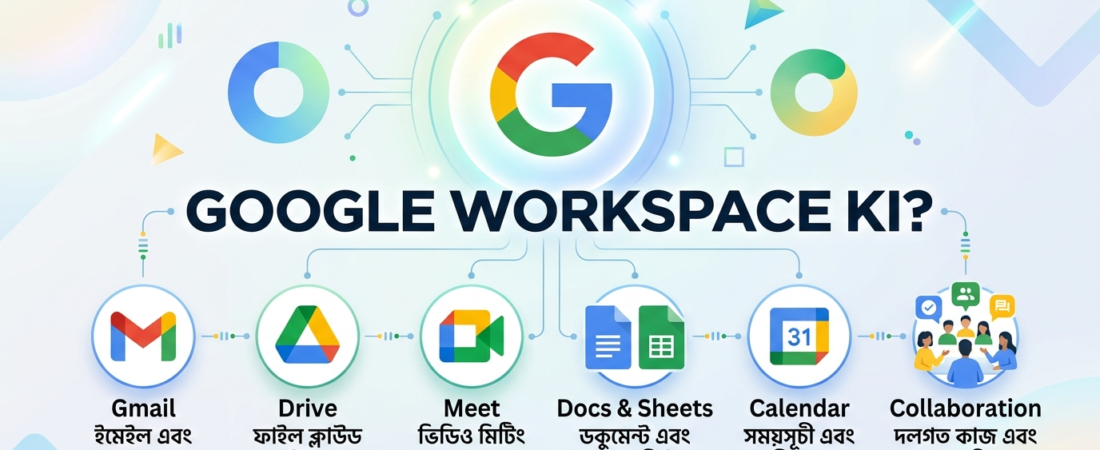
Google Workspace holo Google-er ekti premium cloud-based productivity suite, jeta aagey G Suite name parichit chilo. Ei platform-e aapen paben Gmail, Google Drive, Google Docs, Sheets, Slides, Meet, Calendar, Chat — shob ekti subscription-er moddhe.
Shortcut-e bolte gele: Google Workspace = Professional Gmail + Powerful Collaboration Tools + Secure Cloud Storage, shob ek sathe.
Apnar nijer domain-e (jemon: aapnar@apnarbusiness.com) professional email chhara-o, team-er shobai ek sathe real-time-e document edit korte parbe, video call korte parbe, ar file share korte parbe — shudhu ekta internet connection die.
Google Workspace-e Ki Ki Aache?
Google Workspace-er moddhe protiটি tool-er ekটি specific purpose aache. Niche ekটি quick breakdown:
1. Gmail (Business Email)
Apnar nijoshbo domain-e professional email address. Jemon: info@apnarbusiness.com. Eta aapnar brand-ke much more credible kore tole customer-der kache.
2. Google Drive
15 GB theke shuru kore unlimited cloud storage (plan onujayi). Team-er shobai files access korte parbe jebeki-theke.
3. Google Docs, Sheets, Slides
Microsoft Office-er alternative — Word, Excel, PowerPoint-er moton, kintu cloud-e. Ekathay multiple manush ek-i file-e kaj korte parben real-time-e.
4. Google Meet
HD video conferencing. 100 theke 500 jono porjonto meeting (plan onujayi). Recording option-o aache.
5. Google Calendar
Team scheduling, meeting invite, ar reminder — shob kichu ek jaygay manage.
6. Google Chat
Team messaging ar internal communication-er jonno. Slack-er ekটি solid alternative.
7. Google Forms
Survey, quiz, feedback collection — easy ar free (Workspace subscription-er shathe).
Keno Google Workspace Darkar?
Ei proshno-r uttor ta dhore nen apnar business situation onujayi:
Jodi aapni ekজন freelancer ba solopreneur: Professional email ar Drive-er jonno Google Workspace ekটি smart investment. Client-der kache aapnar image onek beshi professional thake.
Jodi aapnar ekটি chhoto ba maazhaarey team aache: Collaboration-er jonno ei platform-er koono tola nei. Real-time document editing, shared calendar, ar group chat — shob ekta roof-er niche.
Jodi aapni ekটি growing business chalaach: Centralized admin control, security features, ar employee onboarding — shob Google Workspace die much easier hoye jaay.
Khub shongkhepey bolte gele: Google Workspace aapnar business-ke aro organised, professional, ar efficient kore toley.
Google Workspace-er Pricing Plan (2026)
Google Workspace-er multiple plan aache. Niche ekটি saral breakdown:
| Plan | Price (per user/month) | Storage | Best For |
|---|---|---|---|
| Business Starter | ~$6 USD | 30 GB/user | Chhoto team |
| Business Standard | ~$12 USD | 2 TB/user | Growing teams |
| Business Plus | ~$18 USD | 5 TB/user | Larger teams |
| Enterprise | Custom | Unlimited | Baro organization |
Note: Bangladesh-e local pricing ar taka-te payment option er jonno, WebAllRounder-er Google Workspace page dekhe nin — ei-khane aapen Bangladesh-er jonno best price ar support paben.
Google Workspace Setup Korben Kibhabe?
Prothombar setup ta ekটু overwhelming lagte pare, kintu shotti kothay eshob khub straightforward. Niche steps gulo:
Step 1: Domain Select Korun
Apnar business name-er shathe match kore ekटी domain kinun (jemon: apnarbusiness.com).
Step 2: Google Workspace-e Sign Up Korun
Google Workspace-er official page-e giye trial shuru korun (14-day free trial available).
Step 3: Domain Verify Korun
Google apnake ekटी DNS record dibe, jeta aapnar domain provider-e add korte hobe. Eita verify korle Google bujhbe ei domain aapnar.
Step 4: Users Add Korun
Admin console theke team member-der email create korun (jemon: rahim@apnarbusiness.com).
Step 5: Apps Configure Korun
Gmail, Drive, Meet — shob app-er settings nijo business-er onujayi customize korun.
Jodi setup niye ekটু confusion thake ba professional help dorkar, WebAllRounder-er team aapnake shurutheke shesh porjonto guide korbe.
Google Workspace vs. Free Google Account — Parthokko Ki?
Oneke proshno koren: “Amar free Gmail thakle keno paid Workspace nebo?”
Parthokko ta khanik ta bola jaak:
- Free Gmail: @gmail.com address. Personal use-er jonno perfect, kintu business-e onek boro laage.
- Google Workspace: Apnar nijer domain-e email. Admin control, more storage, business-grade security, 24/7 Google support — shob added.
Business reputation ar client trust-er jonno Google Workspace ekটি must-have investment, free Gmail noy.
Google Workspace-er Security Features
Aj-ke cyber threats-er juger shobtheke important ekটি bishoy holo data security. Google Workspace-e aachen:
- Two-Factor Authentication (2FA): Unauthorized access block kore.
- Admin Console: Centralized control — kon employee ki access pabe, admin decide korbe.
- Data Loss Prevention (DLP): Sensitive data accidental share hote prevent kore.
- Endpoint Management: Company device gulo remotely manage ar wipe korte para.
- 99.9% Uptime Guarantee: Google-er SLA onujayi service almost kabhi down hoy na.
Real-world Use Case: Ekटा Bangla Business-er Example
Dhoren, Dhaka-te ekटी marketing agency aache jader 10 jon team member. Aager din:
- Sob kichu email-e jhamelay boro — files lost, version confusion, deadline miss.
- Client-der shathe meeting manage kora chhilo difficult.
- Personal Gmail-e business communication dekhte professional laagto na.
Google Workspace adopt korar por:
- Shared Drive: Shobai ek jaygay files paben, konoটা lost hobe na.
- Google Meet: Client calls aro smooth, recorded, ar professional.
- Google Calendar: Meeting schedule automatic sync — konoটa miss hobe na.
- Professional Email: Client-der trust onek baro gelo.
Result? Time save, client satisfaction up, ar business overall more organized.
Frequently Asked Questions (FAQ)
Google Workspace ki free?
Na, Google Workspace ekটি paid service. Kintu 14-day free trial aache. Tarpor plan onujayi monthly/yearly subscription lagbe.
Google Workspace ki mobile-e use kora jay?
Haa, Android ar iOS-e Google Workspace-er shob app perfectly kaje kore.
Bangladeshi business-er jonno Google Workspace ki setup korte help pawa jay?
Haa! WebAllRounder Bangladesh-e Google Workspace setup, migration, ar ongoing support provide kore.
Google Workspace-e kotota storage pabo?
Plan onujayi 30 GB theke unlimited porjonto. Business Standard-e 2 TB per user paben.
Conclusion: Google Workspace Ki Apnar Jonno Sঠিক Choice?
Jodi aapni ekটি business chalaan ba ekটি organized team manage korten chan, tahole Google Workspace ki shei proshno-r uttor ekটাই: haa, eta aapnar business-er jonno ekটি game-changer.
Professional email, seamless collaboration, top-tier security, ar Google-er world-class infrastructure — shob miley Google Workspace aapnar business-ke next level-e niye jete sahajja korbe.
Shurু korte ready? Abhi-i WebAllRounder-er team-er shathe kotha bolon — Bangladesh-e Google Workspace setup, pricing, ar support-er jonno amra ready achi:
👉 WhatsApp-e Ekhoni Kotha Bolun: +880 1349-267790
Athoba, aro information-er jonno visit korun: workspace.weballrounder.com
Last Updated: May 2026 | Written for Bangladeshi businesses seeking Google Workspace solutions.